Add chapters
- While recording: Chapter on the recording bar, or Ctrl+Shift+M.
- In the editor: double-click the chapter lane, or Add chapter in the timeline toolbar, at the playhead.
A chapter marked while recording takes its title from the first words said after it. Select a chapter to rename it in the toolbar.

What YouTube needs
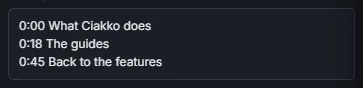
The first chapter at 0:00 (Ciakko keeps it there), at least three chapters, each 10 seconds or longer. The export panel says when the list is ready, or what is missing.
Paste them in the description
Export, YouTube chapters: the list as YouTube wants it. Copy copies it for the description; it is also saved next to the exported video as a text file.