
Claude, the assistant made by Anthropic, can drive Ciakko on your PC. Everything you do by hand in Ciakko, Claude can do too: record, cut, zoom, write texts and voice over, make captions, Shorts and thumbnails, organize the Library, export. It uses your own Claude plan: Ciakko adds no cost and calls no AI service of its own.
Connect
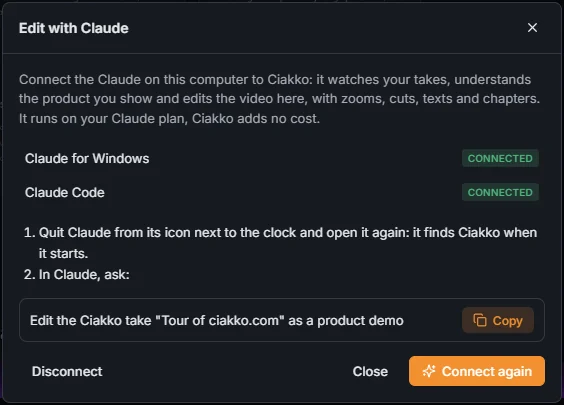
- Install Claude for Windows (Download Claude if it is missing) and sign in. Claude Code works too.
- In the Library, Edit with Claude; in the editor, tab Claude, Connection to Claude.
- Connect next to Claude for Windows (or Claude Code).
- Quit Claude from its icon next to the clock and open it again: it finds Ciakko when it starts.

Ask
In Claude, ask for example: "Edit my latest Ciakko take as a product demo". The dialog has the sentence ready to copy.
Before writing words the viewer reads or hears, Claude reads the project context and the take's instructions. It looks at the take frame by frame to understand what you recorded.
With the take open in the editor you watch every change land, and each change Claude makes is one step that Ctrl+Z undoes. Claude never exports unless you ask.
The Claude tab
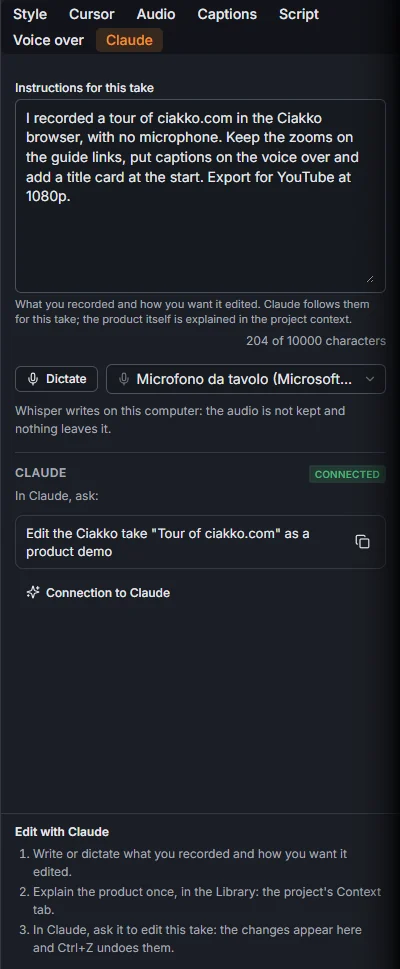
The tab holds the Instructions for this take, typed or dictated, and the sentence to ask in Claude.
Show me how
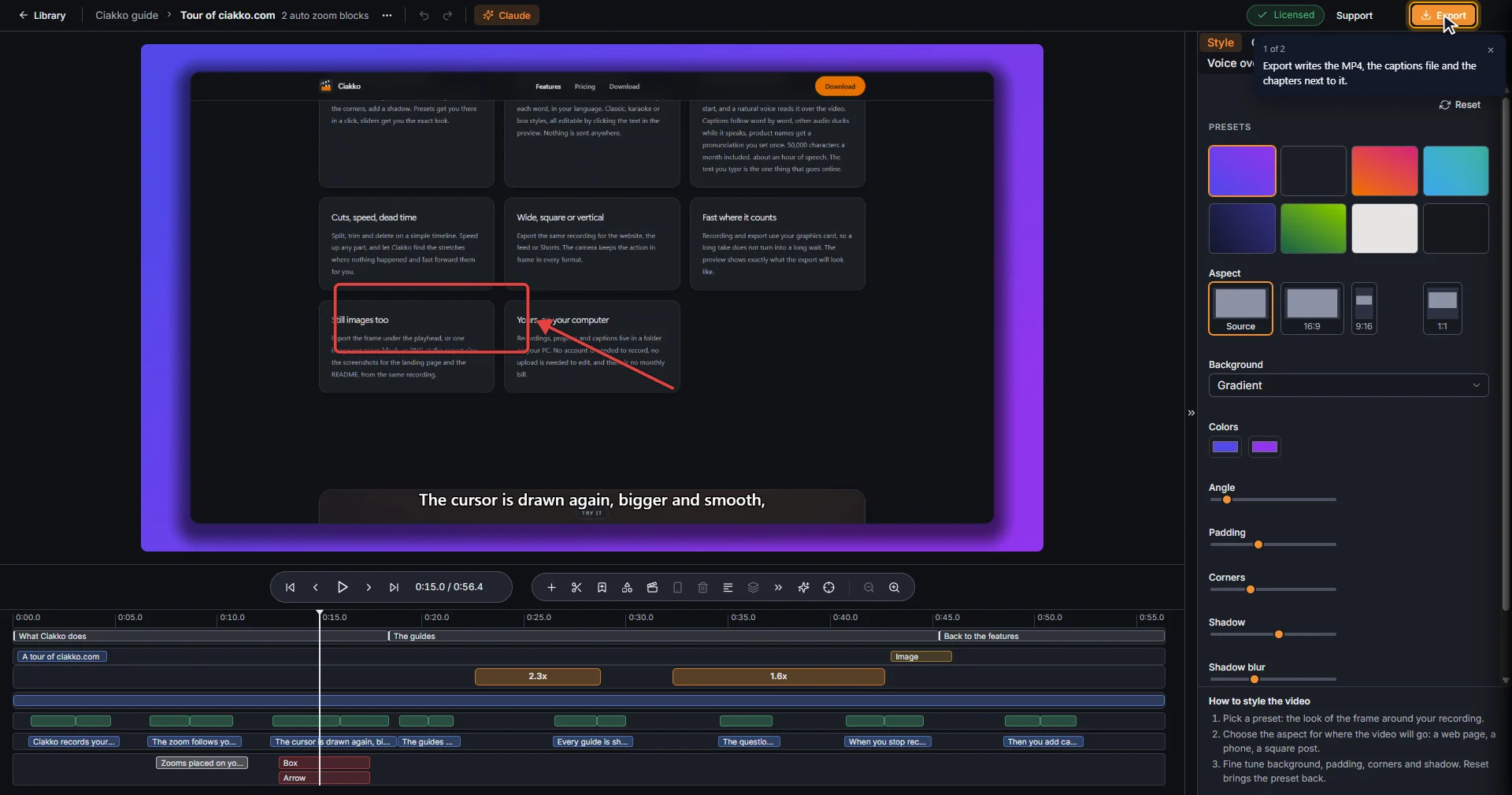
Ask Claude how to do something in Ciakko ("how do I add a chapter?"). It answers from Ciakko's own manual and can show it on your screen: a drawn pointer moves to each control, a ring marks it and a bubble explains. Your real mouse never moves, and the tour presses nothing.
What Claude does not do
Buying, activating the license, signing out and Start with Windows stay yours. In the Ciakko browser Claude never types a password: it asks you to sign in. When Claude deletes a take or a project, it goes to the Windows Recycle Bin.
After the trial, editing with Claude needs a license.
Why this works better than a Remotion or ffmpeg skill, and what Claude sees of your take: Can Claude edit videos?