
Tab Audio.
Microphone and computer sound
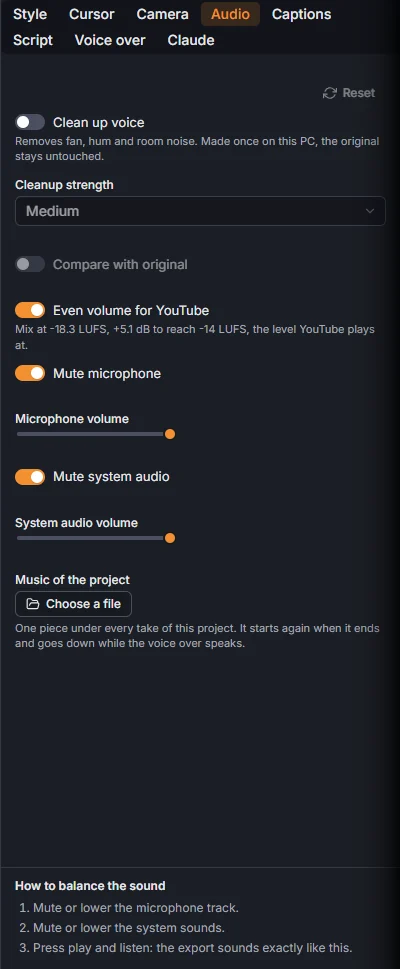
The microphone and the computer's sound are recorded as two separate tracks: Mute microphone and Microphone volume, Mute system audio and System audio volume balance them.
A cleaner voice
Clean up voice removes fan, hum and room noise from the microphone. Cleanup strength: Light, Medium or Strong. It is made once on your PC and the original stays: Compare with original plays the raw microphone to hear the difference.
One steady volume
Even volume for YouTube brings the whole video to the steady loudness YouTube expects, so it is not too quiet next to other videos and never clips. It is on by default.
Music of the project
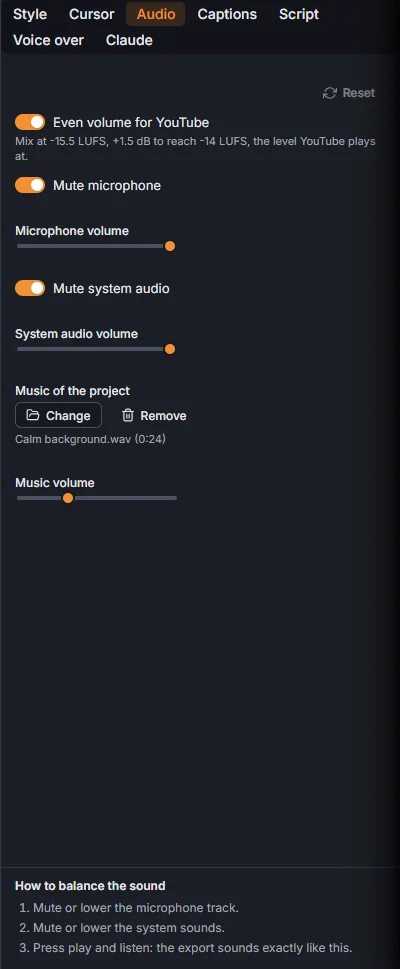
Music of the project, Choose a file: an MP3, WAV or M4A file of yours. Music volume sets its level, Change picks another piece, Remove takes it off.
The music belongs to the project, not to one take: every take of the project plays the same piece, each from where it sits in the final video. It starts again when it ends, fades in at the start of the video and out at its end, and goes down while a voice over line speaks. A project export lays it across the takes without a break.
The voice over has its own volume, in the Voice over tab.