
When Claude edits a video, it writes words the viewer reads and hears: titles, captions, voice over, chapters. The context is where those words come from, so they are right.
The brief and the documents
Library, the project, tab Context.
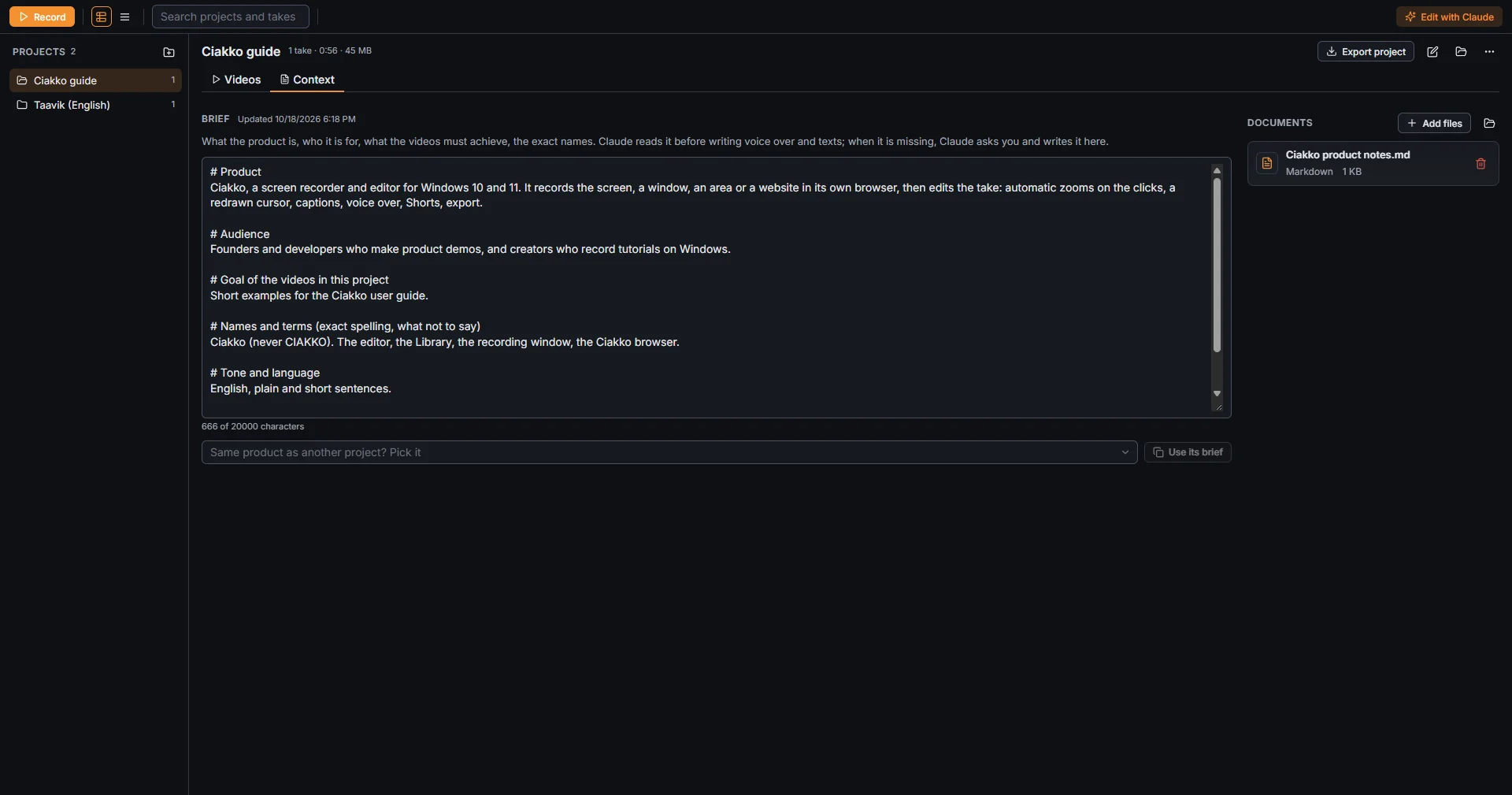
- Brief: what the product is, who it is for, the goal of the videos, the exact names to use and the tone. Up to 20,000 characters; it saves by itself as you type.
- Documents: Add files copies files of yours into the project: Markdown, text, PDF and Word, up to 20 MB each. Claude reads them for the details.
- Same product as another project? Pick it, then Use its brief, reuses the brief of another project.
Write the brief once per product: the next videos start from it. When Claude has no brief, it asks you a few questions and writes one for you.
The take's instructions
Every take can say what you did while recording and what you want. In the editor, tab Claude, field Instructions for this take.
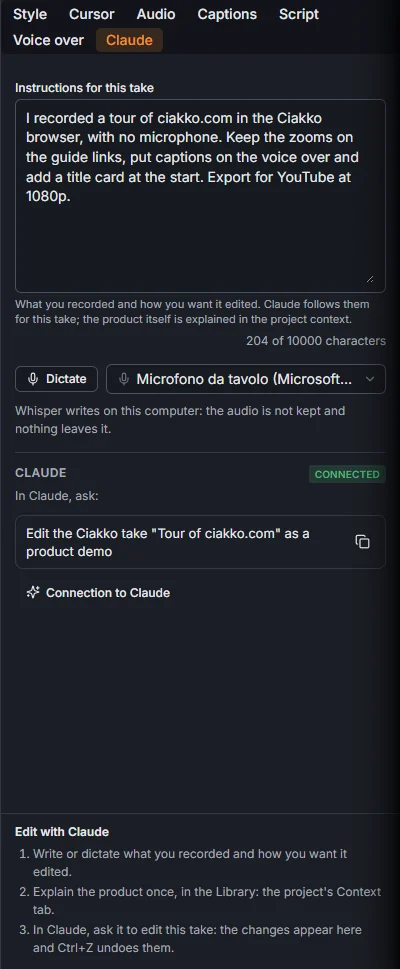
For example: "I stopped two seconds on the key screens", "no voice, add captions", "cut everything after 1:20", "voice over in English".
Dictate writes what you say with the speech model of the captions, on your PC, up to five minutes. The take's instructions win over Claude's general habits; on facts about the product, the brief wins.